Every service.
One library.
Every screen.
StreamDock pulls Netflix, Prime Video, Disney+ and the rest into a single cinematic app — with AI that actually finds you something to watch. The same library follows you from your desk to the couch.
Free during the open beta · Also available for macOS
Works with everything you already pay for
Where can I watch it?
Search any movie or series and see exactly where it's streaming in your country.
Trending this week
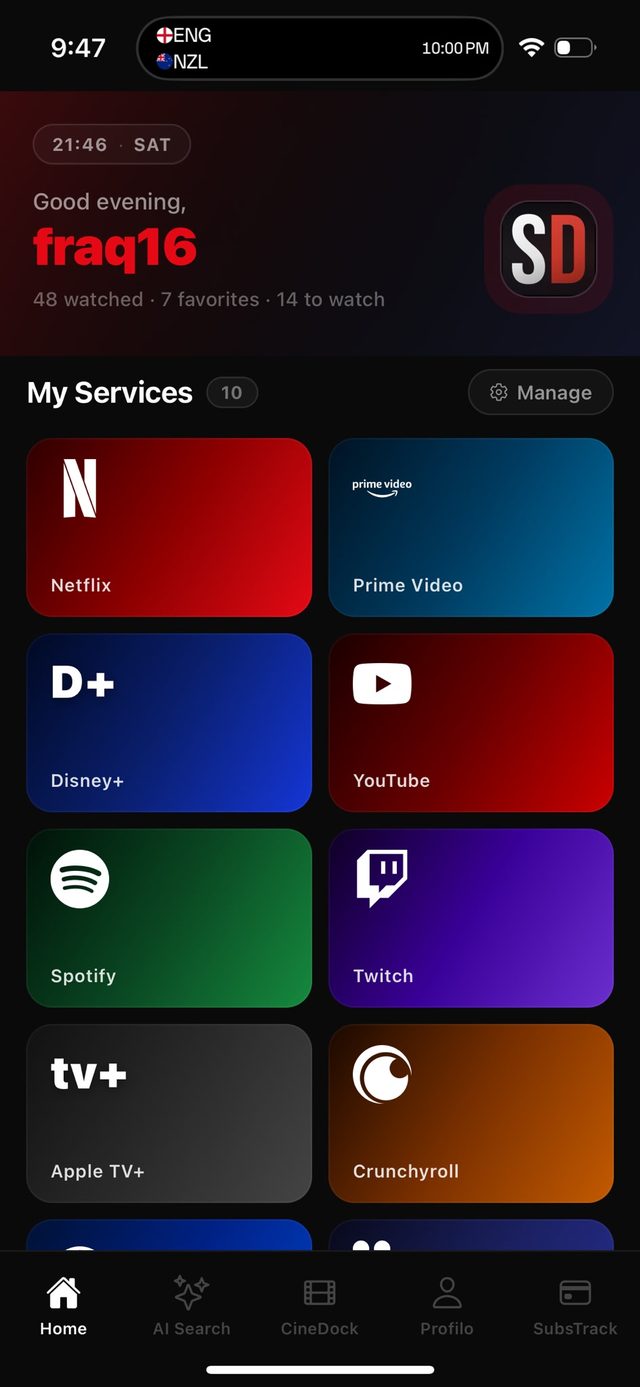
A library that follows you around the house.
Your services, watchlist, ratings and AI picks live on one account. Add a film on the desktop app today — and the moment the TV and phone apps land, it'll already be waiting on the couch and in your pocket.
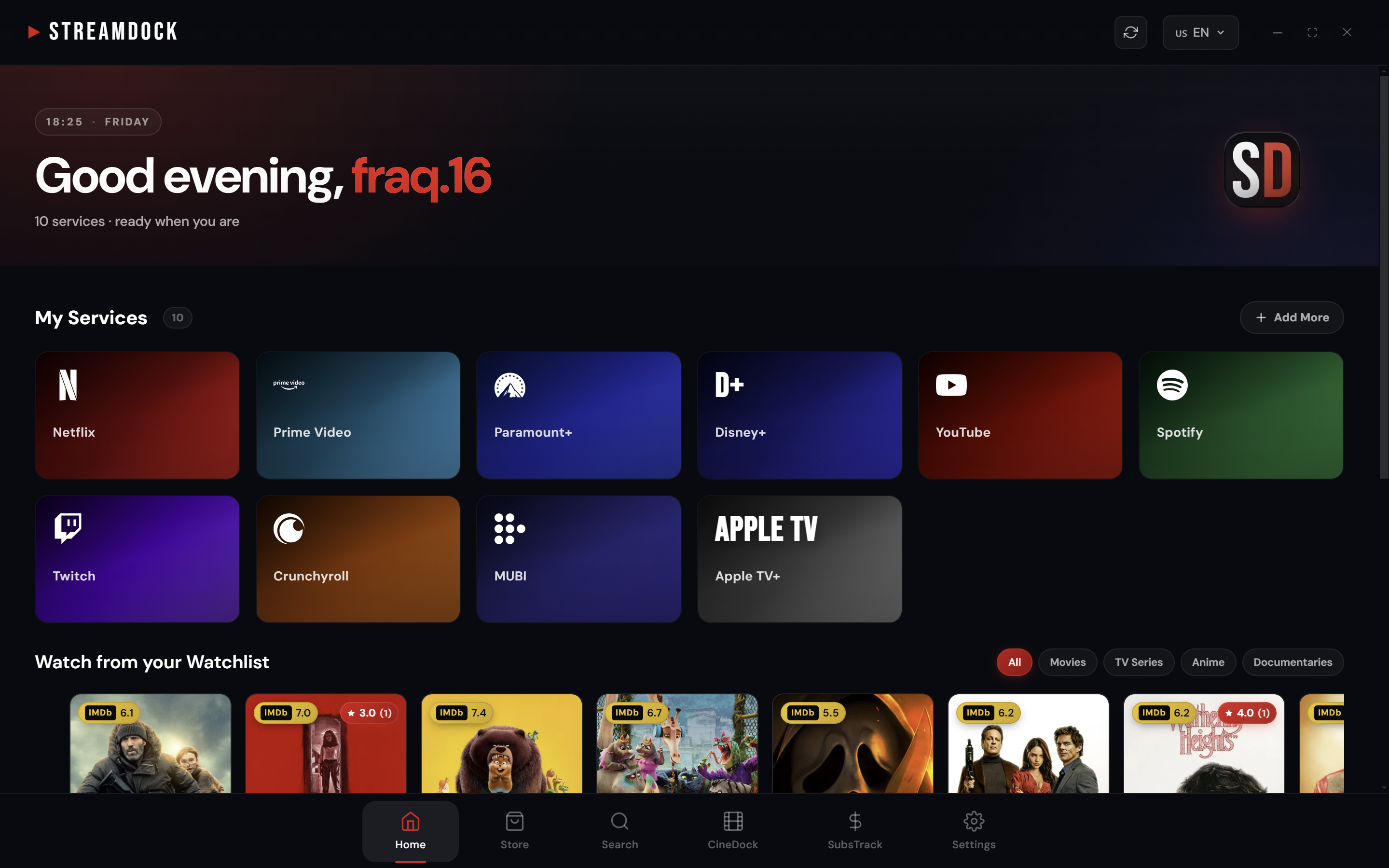
Your services, and picks made for you.
The home screen keeps every service you use one click away — then learns from what you watch. The more you mark and rate, the sharper the "Suggestions for you" and "Watch from your watchlist" rows get.
- Every service you use, ready to open in one click.
- Recommendations that adapt to what you actually watch.
- Pick your watchlist back up right where you left off.
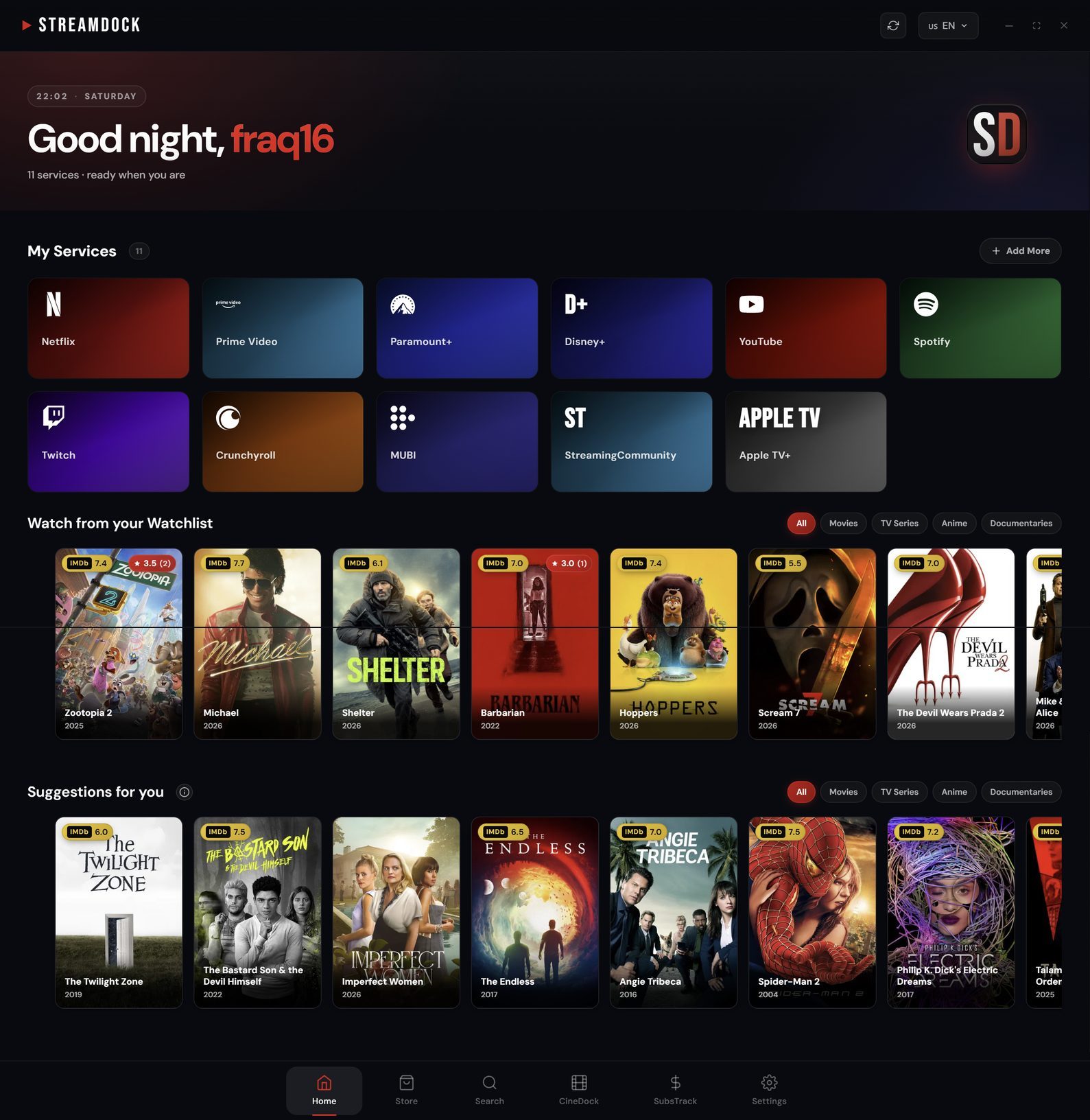
A home that adapts to your taste — picks drawn from what you watch.
Describe a film. Find where it streams.
Type a plot, a mood or half a title. StreamDock's Smart Search — built on Claude — works out what you mean, then checks which of your services actually carry it in your country.
- "A movie about a sunken ship" lands on the right title in one query.
- Per-country availability, so you never open the wrong app.
- A "you might also like" row keeps the night going.
Smart Search resolving a plain-language query into a streamable title.
A store of streaming apps, built in.
Browse every major service and install it as its own app inside StreamDock — from the big names down to DAZN, MUBI and RaiPlay. Each one opens full-screen in your system browser (Edge on Windows, Safari on macOS) — no tabs, no address bar, just the show.
- One-tap install for 15+ streaming platforms.
- Opens in your browser (Edge / Safari), so 4K and DRM just work.
- Mini-apps and extensions extend the dock further.
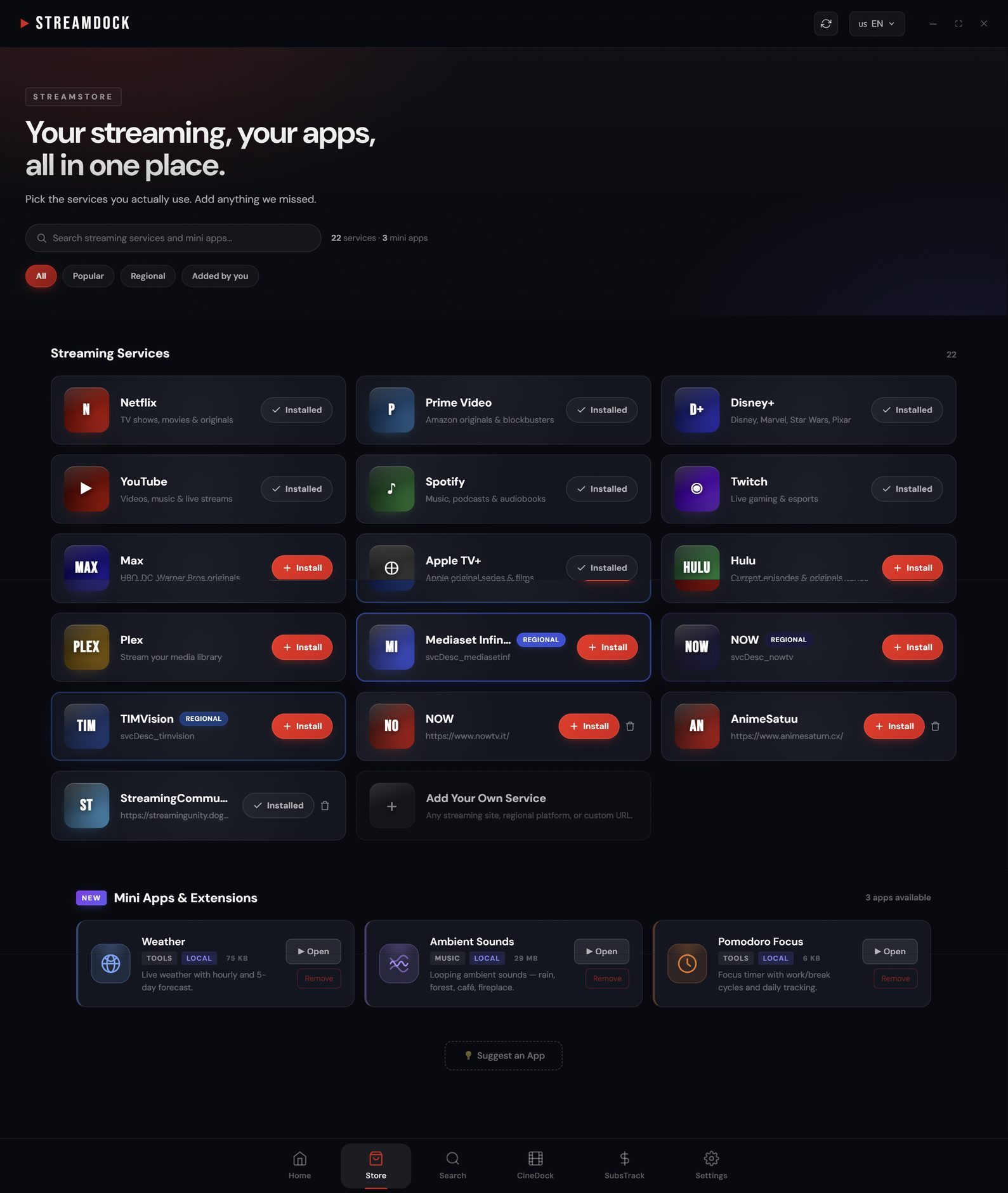
The StreamStore — install services the way you install apps.
Track what you watch. Get smarter picks.
Mark films watched, save favourites, build a watchlist — then let StreamDock cluster your taste and surface fresh recommendations. Share a public profile and compare with friends.
- Watched, favourites and watchlist in one place.
- Recommendations grouped by genre and theme, not one flat row.
- A shareable public profile for every member.

Watched, favourites, watchlist, playlists and groups — all in one profile.
See what your subscriptions really cost.
SubsTrack adds up every plan, works out the cost per title you actually watched, and flags the ones gathering dust — so you cancel the right one instead of guessing.
- Monthly and yearly spend across all services.
- Cost-per-title, so value is obvious at a glance.
- Insights that point at what to pause or drop.
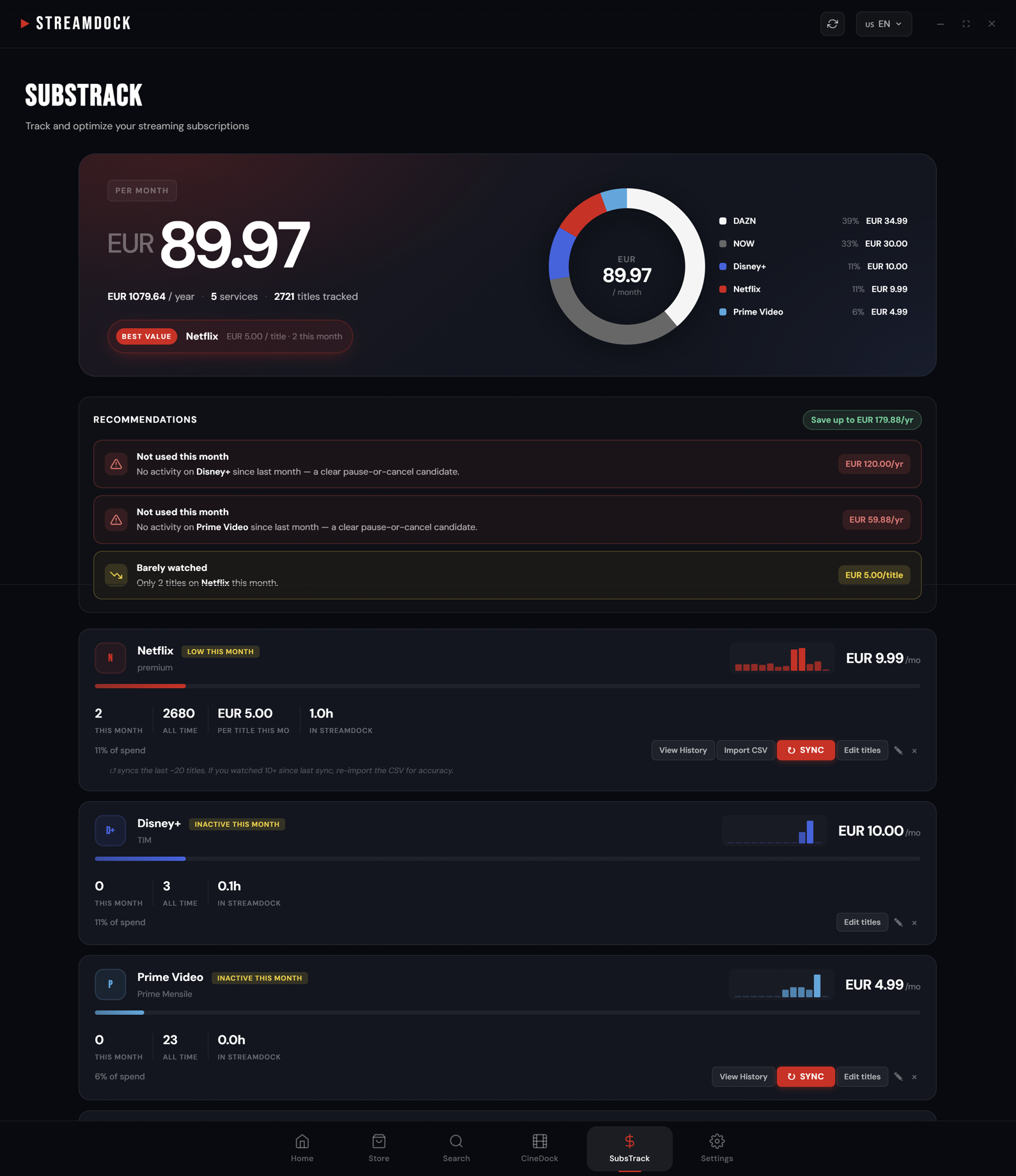
Your monthly spend, broken down by service — with cancel-or-keep tips.
Made for
the big screen too.
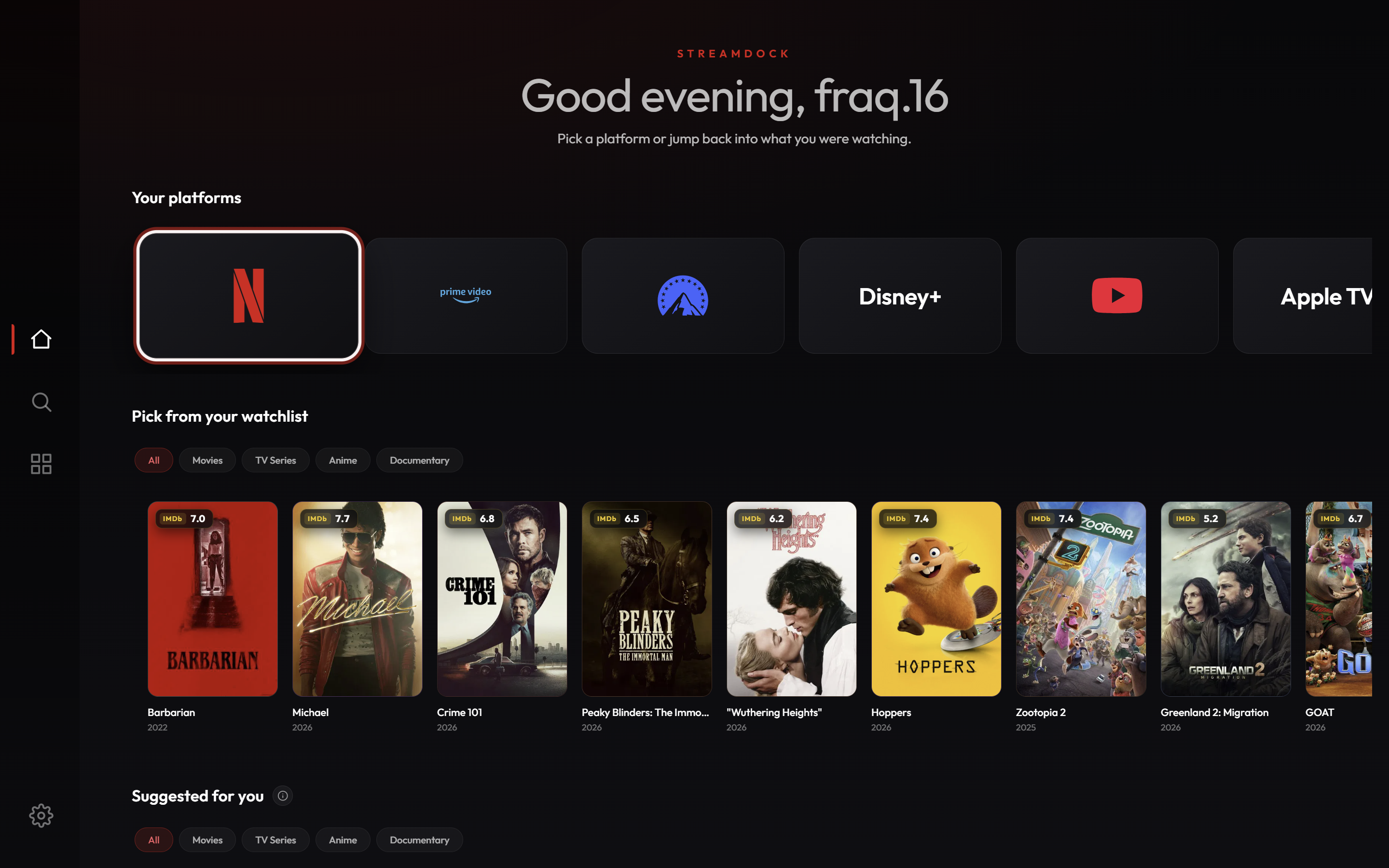
The same account will run natively on the television. Pick a platform, jump back into your watchlist, or open AI search with the remote — all with the lean-back layout a TV deserves. Landing on Samsung and Fire TV soon.
Up and running in three steps.
Install StreamDock
Download for Windows or macOS, or get the iPhone app from the App Store. Android, Samsung and Fire TV are on the way, all sharing one account.
Add your services
Pick the platforms you already subscribe to from the StreamStore. They install as apps in seconds.
Ask what to watch
Describe a mood or a half-remembered plot. AI search finds the title and tells you where it streams.
The whole picture, in one simple app.
Each of the popular tools covers one slice — finding a title, tracking it, or pointing you to a service — and most are dense catalogs or trackers you have to learn. StreamDock brings it together in one guided home you won't get lost in, then adds what none of them do: see what your subscriptions cost and which to drop.
| StreamDock | JustWatch | Reelgood | Plex | Trakt | |
|---|---|---|---|---|---|
| Native desktop app (Windows & Mac) | — | — | — | ||
| Opens your services to watch | — | ||||
| A guided home — you won't get lost | — | — | — | — | |
| Conversational AI search (mood, plot, a line) | — | — | — | ||
| Tracks what you watch + watchlist | |||||
| Recommendations from your own ratings | — | — | |||
| Subscription spending insights | — | — | — | — | |
| Ad-free experience | — | — | — |
Based on each product's publicly documented features (June 2026). JustWatch and Reelgood are web & mobile guides with no native desktop app; the free tiers of JustWatch, Plex and Trakt are ad-supported (their Pro / Plex Pass / VIP upgrades remove ads). Trakt — like Letterboxd and Simkl — tracks what you watch but doesn't open the services for you.
Free while we're in beta. Every feature unlocked.
- All your streaming services, unified
- StreamStore with every platform
- CineDock tracking and watchlist
- AI search powered by Claude
- Clustered recommendations on the home
- SubsTrack spending insights
- Custom posters for your library
- Completely ad-free
No card, no subscription — free for everyone while we're in beta.
Things people
ask first.
Does StreamDock host or pirate any content?
No. It opens the official streaming services you already subscribe to, in one tidy interface. You sign in to each platform exactly as you would in a browser.
Do I need a subscription to every service?
Only the ones you want. StreamDock unifies whatever you already pay for and helps you spot the subscriptions you no longer use.
Is the desktop app really free?
Yes — and right now, during the open beta, every feature is unlocked for everyone at no cost: unified services, StreamStore, CineDock tracking, AI search, recommendations and SubsTrack. No card, no subscription.
Windows shows a security warning when I install — is it safe?
Yes, it's safe. During the beta the Windows installer isn't code-signed yet, so SmartScreen may say "Windows protected your PC". Just click More info → Run anyway to install. You'll only see it once, on the first install — updates after that apply automatically without any prompt. We're adding a signing certificate soon to remove the warning entirely.
Does playback support 4K and DRM?
Yes. StreamDock opens each service full-screen in your computer's own browser (Edge on Windows, Safari on macOS), so protected and 4K titles play exactly as they do there — nothing extra to install.
Is there a mobile app?
Yes — the iPhone and iPad app is available now on the App Store, sharing the same account as desktop. The Android app is in review and coming soon.
Shaped by our first users.
StreamDock is in active open beta. A fresh build ships every few days, and the feedback from early users goes straight into what comes next — no ads, no piracy, just the official services you already pay for.
Ready to watch
on your terms?
Download StreamDock and run every streaming service from one cinematic home — free during the open beta.